Podcast audiogram generator
Podcast Audiogram Generator with Auto Captions
Here, an audiogram is a short podcast clip video with a moving waveform, not a hearing-test chart. Trim your best moment, frame it 9:16, 1:1 or 4:5, and export.
Waveform clips export free in 720p. Auto captions are in early access at 5 credits + 4 per minute.
How it works
From file to finished video in three steps.
- 01
Drop the episode
Add the full episode or an exported segment as MP3, WAV, M4A or FLAC, plus your show artwork. Decoding happens in your browser.
- 02
Cut the moment
Trim to the stretch worth sharing, often half a minute to a minute: one clear point, a strong answer, a line that makes sense without the setup.
- 03
Size it and export
Pick 9:16 for Reels, TikTok and Shorts, or 1:1 and 4:5 for feeds, add early-access captions if you want them, and download the MP4.
Podcast clips
A clip has to work with the sound off
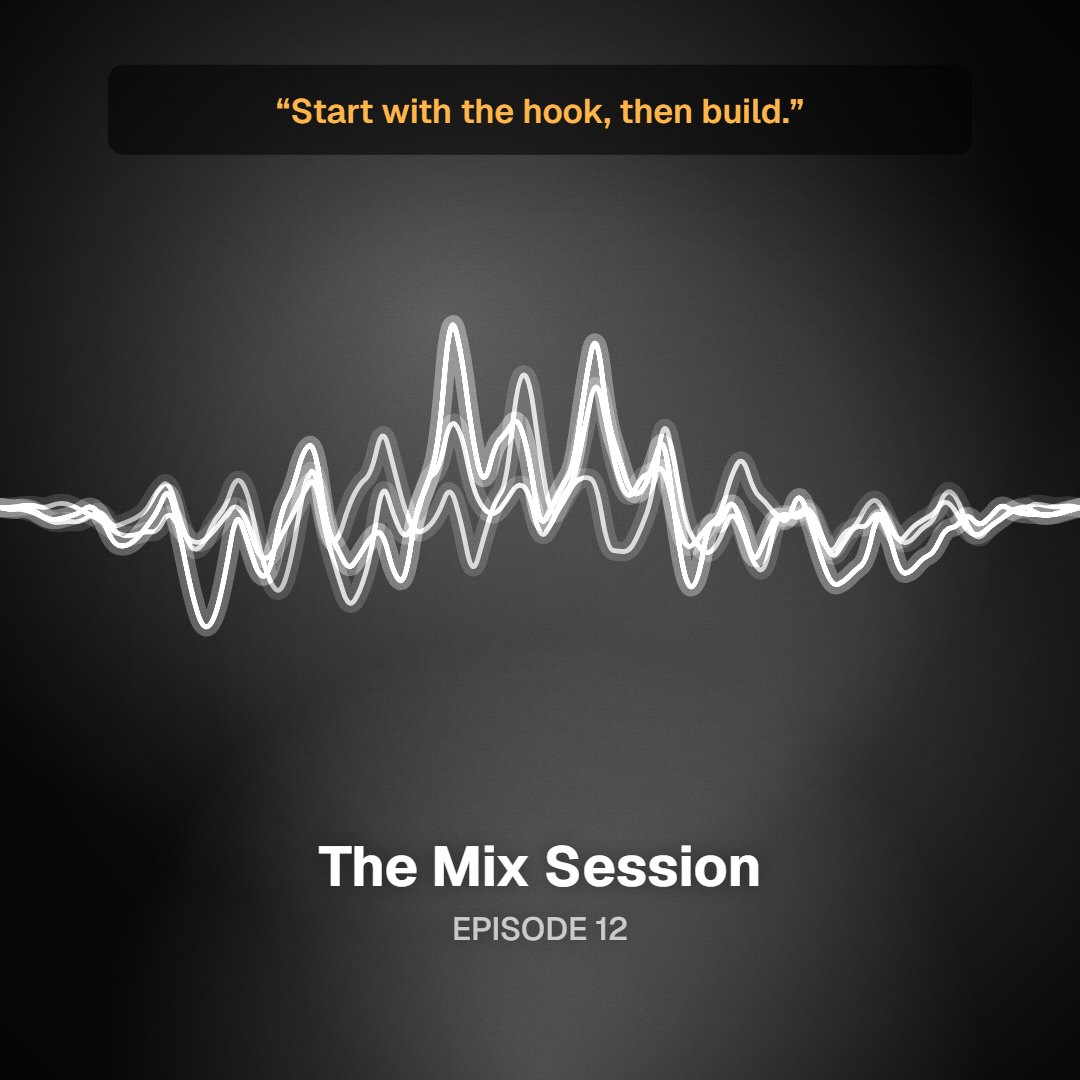
This page is about podcast audiograms: short social videos cut from an episode, not the audiology chart from a hearing test. A good one does three jobs. The waveform tells a scrolling viewer that this is audio worth unmuting. Captions carry the point for people watching silently; auto captions are in early access at 5 credits plus 4 per minute. And the frame fits where it will be posted, from a tall 9:16 Reel to a square or 4:5 feed post. Your show art supplies the colors, so every clip looks like your show.
A waveform that moves with the voice
Pick Wave, Bars, Halo, Orb or Ridge. Each reacts to speech, so pauses and emphasis are visible even on mute.
Captions in early access
Speech recognition puts the words on the clip. A one-minute clip costs 9 credits; names and jargon are the usual misses, so review before posting.
Three social frames
9:16 for Reels, TikTok and Shorts; 1:1 and 4:5 for Instagram and LinkedIn feeds. Same clip, same look.
Show art as the backdrop
Your podcast cover sets the palette on every plan. Creator adds a separate logo overlay and removes the watermark.
Who it's for
Built for the way you release.
Independent podcasters
Turn each new episode into a few promo clips on your own, without opening a separate design tool.
Producers editing for several shows
Pro at $29 a month includes a commercial license for client work and 1,600 credits for captions across many clips.
Musicians with talk content
Track-by-track commentary, interviews and studio diaries can go out as audiograms in the same palette as the release.
Audiogram limits and pricing
| Frames | 9:16, 1:1 and 4:5, plus 16:9 for YouTube |
|---|---|
| Free tier | 720p MP4 with a small watermark, up to 6 minutes per export, no account needed to preview |
| Auto captions | Early access · 5 credits + 4 per minute (a 1-minute clip is 9 credits, about $0.09) |
| Single HD · $4.99 | One watermark-free 1080p export, no subscription |
| Creator · $12/mo or $96/yr | Watermark-free 1080p browser exports, logo overlay and 200 credits a month |
| Pro · $29/mo | Everything in Creator, plus 1,600 credits a month and a commercial license for client work |
Prices in USD. Caption credits are charged per clip, based on its length.
FAQ
Questions about this tool
A podcast audiogram is a short video made from a piece of an episode: the audio, an animated waveform, usually captions, and the show's artwork. Podcasters post them on Instagram, TikTok, LinkedIn and YouTube Shorts to promote new episodes. It has nothing to do with the medical audiogram, the chart a hearing test produces. This tool does not test, measure or chart anyone's hearing.
Long enough to land one idea, short enough to finish before the viewer scrolls on. Many podcasters aim for somewhere between half a minute and a minute. A clip that starts mid-thought rarely works, so trim from the first word of the point to its natural end. If you need a longer excerpt, such as a full answer for YouTube, the free tier exports up to 6 minutes per clip.
Yes, in early access. Speech recognition transcribes the clip and places the words on screen in time with the speaker. It costs 5 credits plus 4 per minute, so a one-minute clip uses 9 credits, about nine cents at the 1,000-credit pack rate. Recognition is weakest on names, jargon and crosstalk, so watch the clip all the way through before you publish it.
Use 9:16, which is 1080×1920 on paid exports, for Reels, TikTok and YouTube Shorts. In the Instagram feed, 4:5 at 1080×1350 takes up more of the screen than a square, and 1:1 at 1080×1080 is the safe choice when you are unsure. LinkedIn accepts square, 4:5 and vertical video. Free exports use the same frames at 720p.
Your show artwork can be the backdrop on any plan, including free, and the clip's colors are pulled from it. A separate logo overlay comes with Creator at $12 a month or $96 a year, which also removes the watermark from 1080p browser exports. If you only need one clean clip, Single HD gives you a watermark-free 1080p export for $4.99 without a subscription.
Not for previews or browser exports. The audio is decoded and rendered on your own device, and the MP4 is assembled in your browser. Auto captions are the exception: speech recognition is an AI feature, so the audio of that clip is sent to our servers to be transcribed when you request captions, and only for that job. Skip captions and the episode stays on your machine.
Yes. Load the episode, trim one moment and export it, then move the trim to the next moment and export again. Each clip is its own export, up to 6 minutes on the free tier. There is no automatic multi-clip splitting today, so choosing the moments is still your call, and that choice usually decides whether a clip earns a follow or gets scrolled past.
Related tools
Keep going with your release
Clip this week's episode
Preview without an account and export a 720p clip free. Use episodes you own or have permission to share, including any music under the voices.