Lyric video maker
AI Lyric Video Maker That Syncs Every Word
Drop your song, paste the words you wrote, and set each line where it is sung. Tap along for free or let AI align every word, then tidy it up on the timeline.
Tap-to-sync and 720p export are free. AI word sync is in early access at 20 credits + 10 per minute.
How it works
From file to finished video in three steps.
- 01
Add the song and your words
Drop an MP3, WAV, M4A or FLAC file and paste your lyrics, one line per row. The track is decoded in your browser, so nothing uploads to preview.
- 02
Set the timing
Press a key as each line starts, or run AI word sync in early access to place every word against the vocal. Either way, you finish on the timeline.
- 03
Pick a frame and export
Choose 16:9 for YouTube or 9:16 for TikTok and Reels, set the words over a visualizer style, and download the MP4.
Word-level timing
Your exact words, landing where the vocal does
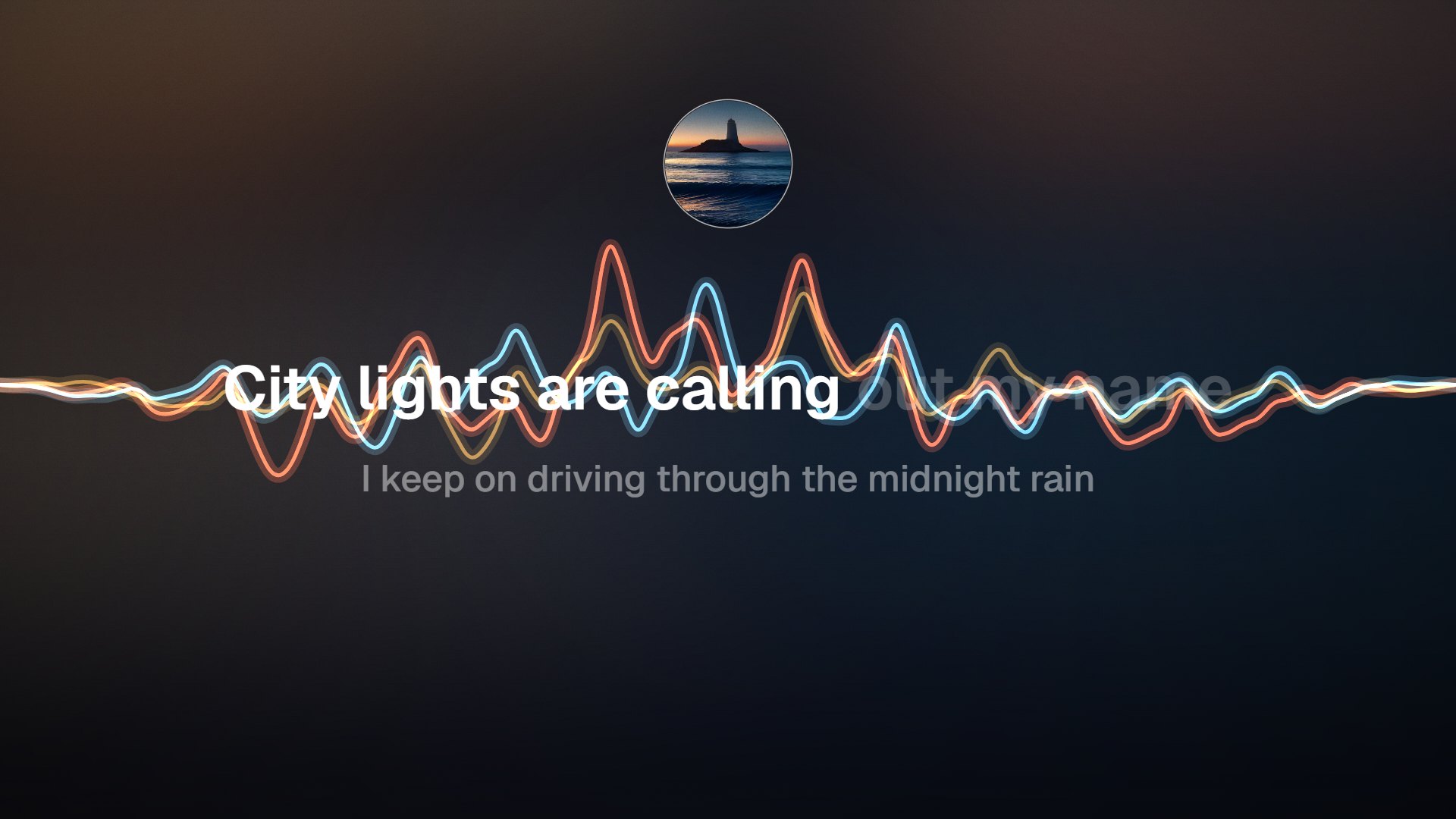
Tools that transcribe first have to guess at your words, and you end up fixing their spelling. Here you start from the lyrics you wrote. AI word sync, in early access, listens to the vocal with speech recognition and aligns your text to it, so line breaks, slang and spelling stay yours. If you would rather not spend credits, tap-to-sync gets every line in place while the song plays. Both paths end on the same timeline, where you can pull a late word forward or keep a held note on screen longer before you export.
City lights are calling out my name
AI auto-sync is in early access. Tap-to-sync works today, free.
Aligned to your text
The AI matches the vocal to the lyrics you pasted, so the words on screen are always the ones you wrote.
Tap-to-sync, free
Play the song and press a key as each line begins. No credits, and no account needed to preview the result.
Timeline fixes
Every line sits as a block under the waveform. Nudge a block to fix a late entrance, or stretch it across a long note.
Same timing, any frame
Switch between 16:9, 9:16, 1:1 and 4:5 without re-syncing. The words follow the audio, not the canvas.
Who it's for
Built for the way you release.
Independent artists
Have a lyric video ready for release day without booking an editor. Start free, then pay $4.99 for one clean 1080p file if the song earns it.
Songwriters sharing demos
Send collaborators a demo with the words on screen, so their notes are about the writing, not about a line they misheard.
Managers and small labels
Cut lyric videos for several artists from one account. Pro at $29 a month adds a commercial license for client work and 1,600 credits.
What is free and what is paid
| Free export | 720p MP4 with a small bottom-right watermark, up to 6 minutes per export |
|---|---|
| Tap-to-sync | Free in the editor, line by line |
| AI word sync | Early access · 20 credits + 10 per minute (a 3-minute song is 50 credits, about $0.50) |
| Single HD · $4.99 | One clean 1080p export of one song; re-export that song free for 30 days |
| Release Kit · $9.99 | The same song in 3 aspect ratios, up to 4K where your browser supports it |
| Creator · $12/mo or $96/yr | Watermark-free 1080p browser exports, 4K where supported, your logo, 60 minutes of AI lyric sync and 200 credits a month |
Prices in USD. At the 1,000-credit pack rate, one credit costs about one cent.
FAQ
Questions about this tool
Drop your song, paste your lyrics with one line per row, then sync them: tap a key at the start of each line while the song plays, or run AI word sync in early access. Pick a style and a format — 16:9 for YouTube or 9:16 for Reels and TikTok — and export an MP4 in your browser. The 720p export is free; a clean 1080p file is $4.99 for that song.
Yes, in early access. Paste your lyrics, start AI word sync, and the editor runs speech recognition on the vocal, then aligns each word of your text to what it hears. You get word-level timing that you can play back and adjust on the timeline. It costs 20 credits plus 10 per minute of audio, so a 3-minute song uses 50 credits, about $0.50. The Creator plan includes 60 minutes of AI lyric sync each month.
Accuracy depends on the recording. A clear lead vocal over a balanced mix aligns well; stacked harmonies, heavy effects, very fast phrasing and long instrumental gaps are harder. We do not publish an accuracy percentage, because it varies that much from song to song. What matters is that nothing is locked: every line sits on the timeline, and you can shift or stretch it until the words land where you hear them.
Write them out first. AI sync aligns the vocal to text you provide, and there is no transcription-only mode today. Starting from your own lyrics is also what keeps spelling, slang and line breaks correct. Type them roughly as they are sung, one line per row, and include every repeated chorus. If a section is hard to make out, let AI sync the clear parts and tap or nudge the rest by hand.
Yes. Switch the frame to 9:16, which is 1080×1920 on paid exports and 720p on the free tier. The layout adapts to the taller frame and your timing stays as it was. Trim to the hook first so the clip opens on the line people will remember. If you also want the 16:9 YouTube version and a square post of the same song, the Release Kit covers all three for $9.99.
The core is. Uploading, tap-to-sync, styling and a 720p MP4 export with a small watermark cost nothing. Each export can run up to 6 minutes, and the free tier is not a trial, so it does not expire. You pay only for extras: $4.99 for one clean 1080p export of a song, credits for AI word sync, or Creator at $12 a month if you release often and want every browser export in watermark-free 1080p.
Tap-to-sync works with lyrics in any language you can type, because you set the timing yourself and the text appears as you entered it. AI word sync is in early access, and we are still testing how well it follows vocals across different languages and singing styles. If it stumbles on yours, tap-to-sync and the timeline give you full manual control at no cost, and you can mix both approaches in one song.
Not yet. LRC and SRT import and export are planned, so you will be able to bring in timing from another tool or take synced lyrics to a music player or caption track. For now, paste plain lyrics into the editor and sync them there with tap-to-sync or AI word sync. Until those formats arrive, what you take away is the MP4 itself, with the lyrics rendered into the picture.
Related tools
Keep going with your release
Put your words on screen
Drop a song you own or are licensed to use, paste the lyrics and preview without an account. The 720p export is free.